If you’re deploying feature updates using feature update profiles in Intune you’re probably familiar with the Windows Feature Update Report available in the endpoint manager portal:

As is often the case with these canned reports though, I find myself wanting to report things differently – in this case I wanted to see a consolidated view of feature update deployments across all feature update versions and profiles, instead of having to generate a report for each one.
So I wrote a PowerShell script to export all the report data from Microsoft Graph, combine it, then upload it to a log analytics workspace. From there, I use PowerBI to display the consolidated data where I can see an overview for all feature update versions, filter by the target version, installation status etc.
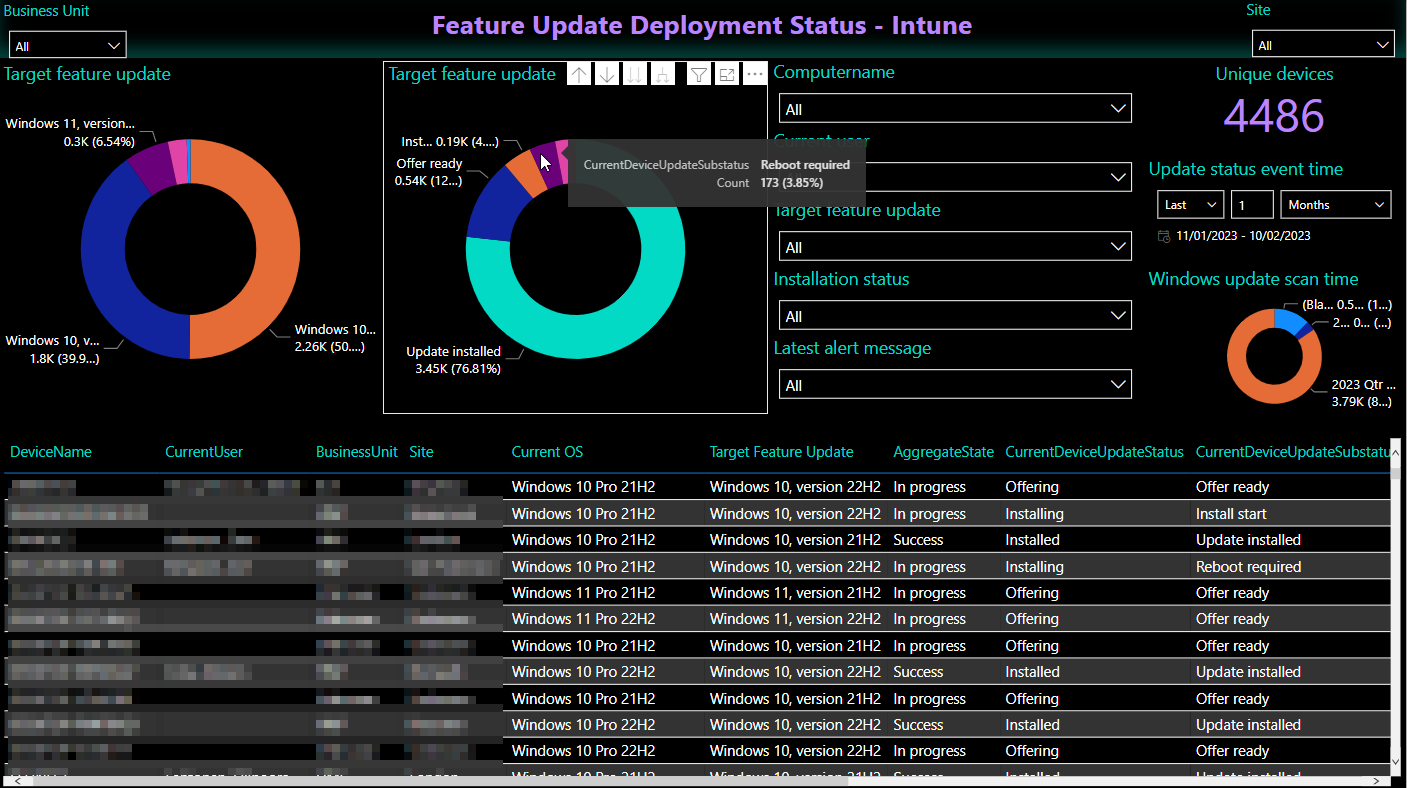
Personally I automate this on a schedule using Azure automation, but you could also just run it ad-hoc, and you could also just output the data to a CSV file if you wanted, instead of uploading to Azure.
Here be the code 🙂
