A couple of days ago Microsoft published a new article in their New Secure Boot certificates documentation called A Closer Look at the High Confidence Database. According to Microsoft,
The High Confidence Database reflects Microsoft’s assessment of which device and firmware configurations are ready to receive Secure Boot certificate updates based on observed servicing and reliability signals.
Without going in to too much detail, if the device bucket Microsoft has assigned to a device is in the High Confidence database, they have received enough servicing data from devices in that bucket to be confident it will successfully receive the Secure Boot certificate updates.
In the Secure Boot registry, there is a BucketHash value and a ConfidenceLevel value under HKLM:\SYSTEM\CurrentControlSet\Control\SecureBoot\Servicing:
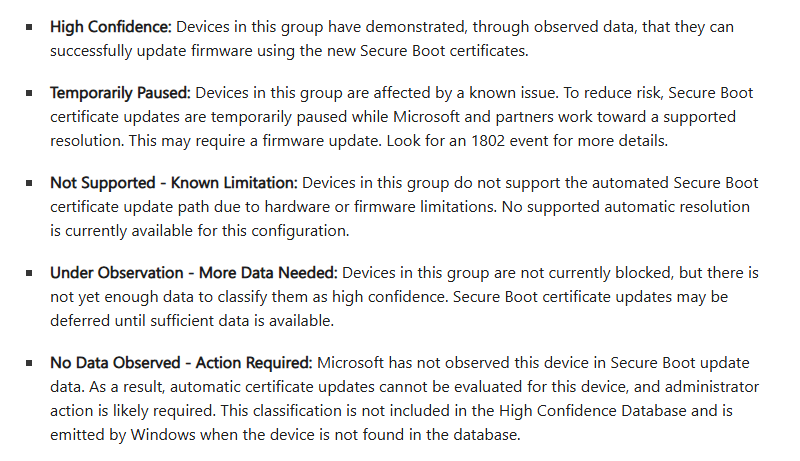
Microsoft list the various confidence classifications in their documentation:
However, to date, in my own environment I have only ever seen two of these classifications appear on any of our devices: Under Observation – More Data Needed, and No Data Observed – Action Required. Even these classifications seem inconsistent, for example some devices are showing either of these two classifications yet actually, they’ve already installed the new certs and the boot manager has been updated! I haven’t yet seen any device assigned the High Confidence classification in the registry.
Since Microsoft published more data on the High Confidence database, I decided to have a peek at it and see if any of our devices are actually in this database.
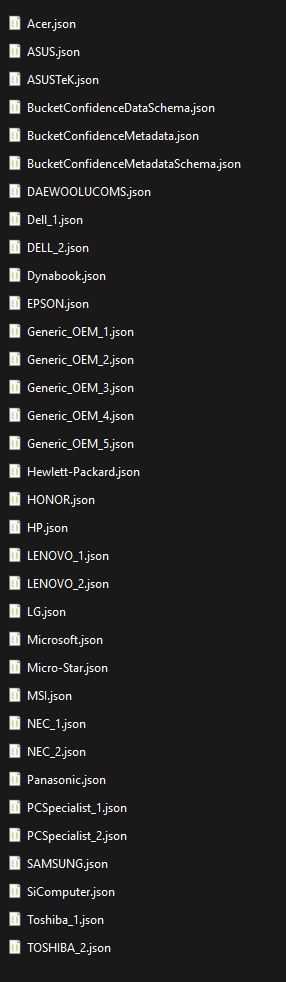
There are two ‘copies’ of the database – one in GitHub which supposedly will be updated twice a month with the security and preview LCUs, and the other on the local client in the %SystemRoot%\System32\SecureBootUpdates folder. The former is for IT teams and OEMs, while the latter is used by the servicing process. It should be pointed out that the published version of the database is not a database in the true sense, just a bunch of entries in CSV or json files.
The client-side version just contains the bucket hashes, grouped into json files by vendor, along with some metadata files. This version actually contains hashes for devices in either the High Confidence or Under Observation classifications.
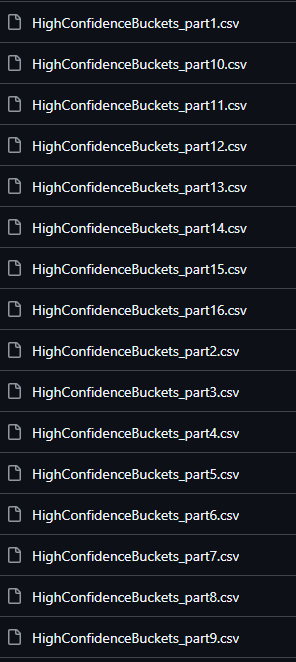
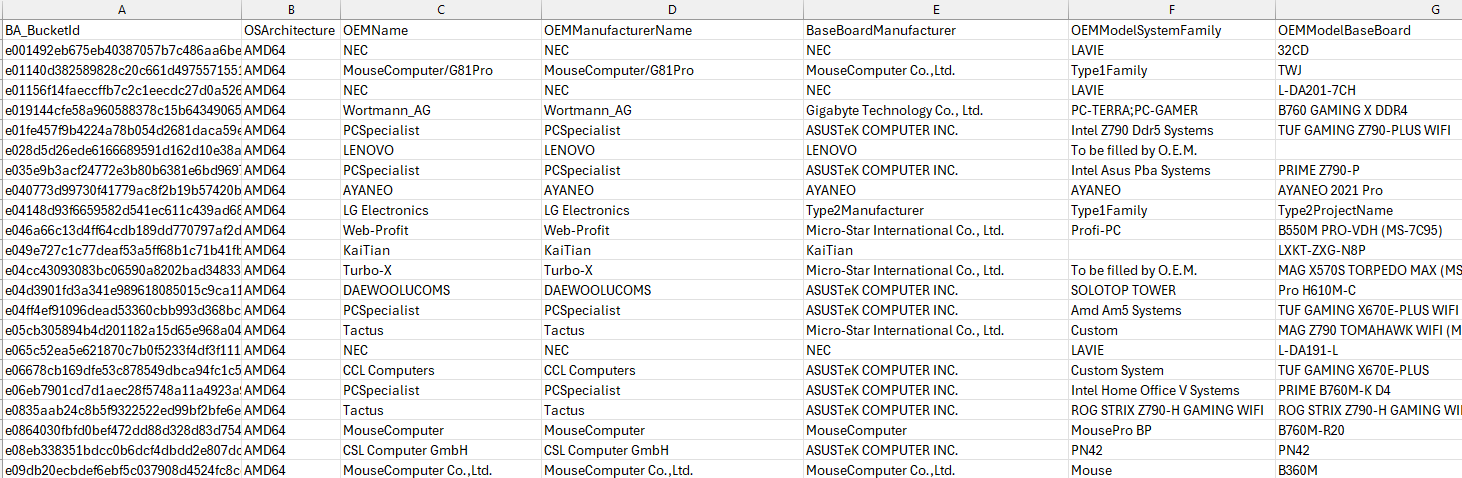
The GitHub version contains 16 CSV files, each of which contains considerably more data on each bucket, including device info and firmware versions, which is useful if you want to know what device configuration each bucket represents.
Since we have no devices yet reporting a High Confidence classification (even though we do have devices that have updated), I put together the following PowerShell script that will read all the bucket hashes in the local copy of the database and check whether the hash of the device it’s running on is in the database. It does require PowerShell 7 due to the way the json files are created and the lack of any ‘AsHashTable’ parameter in the ConvertFrom-Json cmdlet in PowerShell 5. I should add the disclaimer that the local copy of the database is intended to be used by the Secure Boot certificate servicing and not for general parsing by an IT admin, even though we’re doing exactly that 🙂
This file contains hidden or bidirectional Unicode text that may be interpreted or compiled differently than what appears below. To review, open the file in an editor that reveals hidden Unicode characters.
Learn more about bidirectional Unicode characters
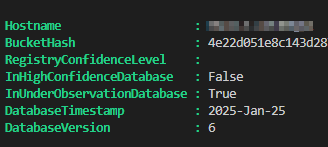
The script will populate two variables, $highConfidenceBuckets and $underObservationBuckets and check whether the device is in either one.
In my case, my Windows 365 Cloud PC is not high confidence, but under observation. Which is interesting, since it has already installed the new certs and updated the boot manager!
I also uploaded all the High Confidence and Under Observation bucket hashes into our SQL inventory database and ran a check on the bucket hashes of all our devices, and sure enough, not one single device has a High Confidence classification! The vast majority were, however, in the Under Observation list. Hmmm.
Ok, so since the timestamp on the local copy of the HC database is January 25th, I decided to also check against the High Confidence database published in GitHub, which is more recent. Probably Microsoft doesn’t want us doing this with PowerShell, but hey-ho 🙂 The following script downloads all the CSV files from GitHub and extracts all the bucket hashes into the $allBucketHashes variable (all 1.5 million of them!)
This file contains hidden or bidirectional Unicode text that may be interpreted or compiled differently than what appears below. To review, open the file in an editor that reveals hidden Unicode characters.
Learn more about bidirectional Unicode characters
I took these hashes and also uploaded those to our inventory database, and guess what? I got 1 single match in the High Confidence database out of all our nearly 8,000 managed devices! Which actually sucked on two levels:
Just one, I mean really?!
Turns out, that device didn’t even have Secure Boot enabled anyway!
I was kind of hoping to get a list of devices that are High Confidence that I could go ahead and install the new certs on ahead of Microsoft’s LCU servicing, but alas not! Still, at least we have some insights into what the High Confidence database actually looks like and how to read it.
Update 2026-03-23: MS issued the following response in regard to our questions about why even modern, up-to-date devices are currently being so slow to update through the automatic servicing path:
What you are seeing is consistent with how the High Confidence rollout is designed to behave early on.
The automatic path is intentionally cautious. Devices only enter the High Confidence database after we have sufficient real‑world servicing and reliability signals for that specific hardware and firmware combination. Early in the rollout, that means coverage grows slowly even on modern, well‑supported systems, especially when BIOS or firmware was updated recently and needs to be re‑observed.
The January, February, and March LCUs primarily established the pipeline and initial confidence data. We expect significantly more devices to become eligible in April and May as additional telemetry is collected and more hardware buckets graduate to high confidence. That expansion is already planned and does not require changes on your side beyond staying current on servicing updates.
For organizations that prefer not to wait, taking a managed approach using the published guidance is a valid option. The key point is that low numbers today do not indicate a problem with your devices, only that we are still building confidence before broad automatic deployment.
We’ll continue to expand coverage carefully and share updates as the rollout accelerates.