Back when our company decided to migrate endpoint management workloads to Microsoft Intune from Microsoft Configuration Manager, I quickly realized we would be missing some key capabilities. Not least of which is comprehensive hardware inventory data which, to this day, is still sorely lacking in Intune. Having in-depth, customizable inventory on our Windows endpoints is key for us to support the necessary reporting and data analysis capabilities we have become dependent on.
So I set out to create our own inventory solution to fill this gap, and it has proven to be one of the most useful things I have ever created. I’ll spare you the technical detail, but in a nutshell it works like this:
- An Intune remedation script runs on a schedule to gather all the data we want to inventory into a json file. The scripts runs a full inventory every 14 days, and deltas every few hours in between.
- The json file is posted to an Azure storage container.
- An Azure function executes every 5 minutes, pulls all the inventory files in the container, batch processes them into a SQL database using table-valued parameters, then archives the files.
In addition, we regularly run data pipelines using Azure automation from various sources, including Intune, Entra, ConfigMgr, Active Directory and more into the SQL database.
The end result is an inventory database with many tables containing a wealth of useful data.

We’ve made good use of Power BI to expose a lot of this data in reports that can be accessed by interested parties, as well as running ad-hoc queries against the data as needed.
Recent advances in AI technology has brought a remarkable new way to interact and report on this data. For some time, I’ve been looking for a good way to query a SQL database with AI, and Microsoft recently released a preview version of an MCP server that can do exactly this! Model Context Protocol (MCP) servers allow you to kind of ‘plug in’ different tools to your AI models through their client applications to provide additional context for the models to use to respond to your prompts. In this case, the MSSQL MCP Server exposes some tools that allow AI models to interact with SQL databases, which ultimately means you can interact with your data in natural language with some remarkable results.
Delivery Optimization Usage
Let start with some Claude gold. Although there are several AI chat applications available these days, and more are starting to support MCP, I haven’t yet found anything that can rival Claude desktop artifacts for rich data analysis and reporting.
In our inventory database we have some delivery optimization tables, so lets ask Claude to give us some insights on DO usage.
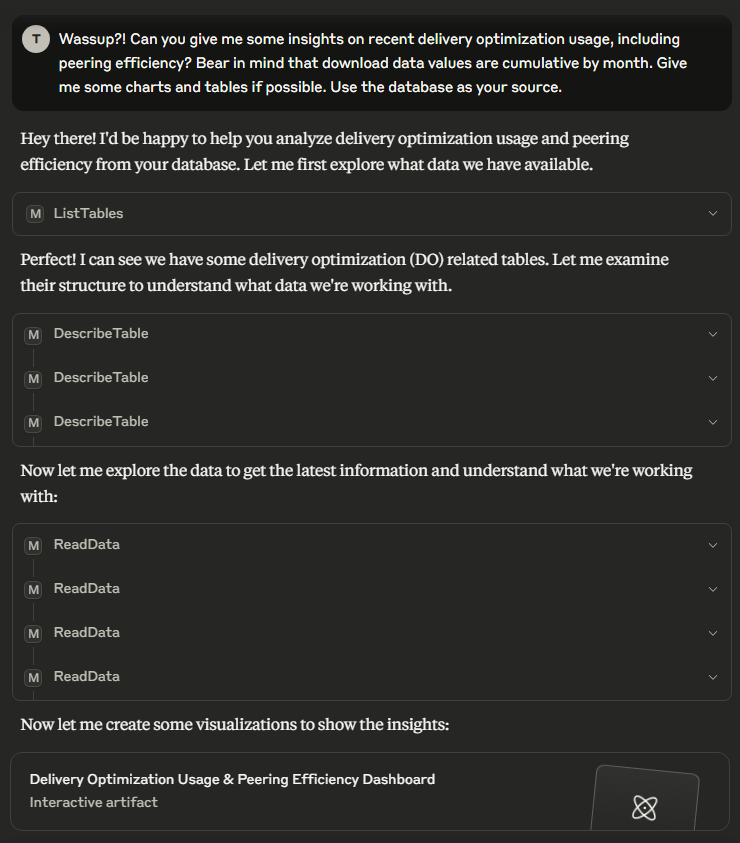
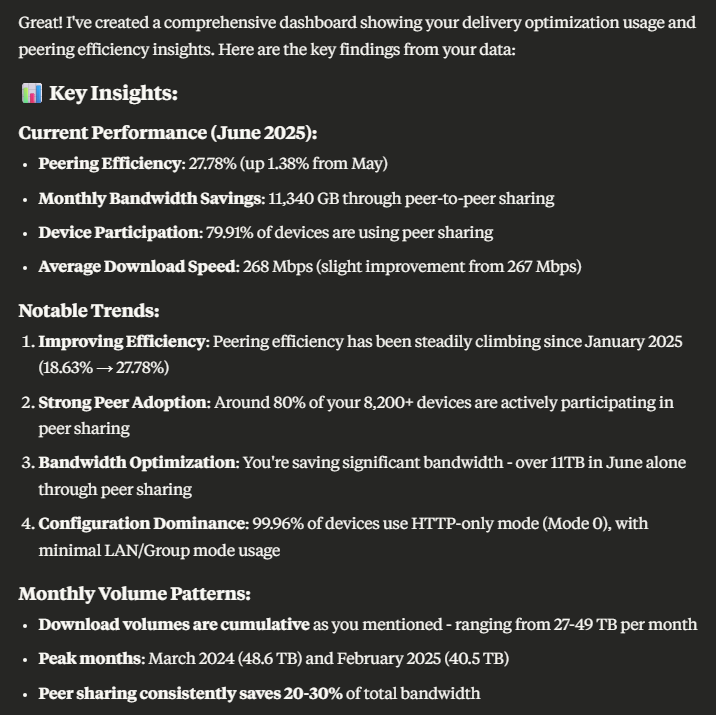
After completing its analysis, it provides some key insights from the data:
Then if we look at the artifact it created we can see a number of charts giving us some key metrics:
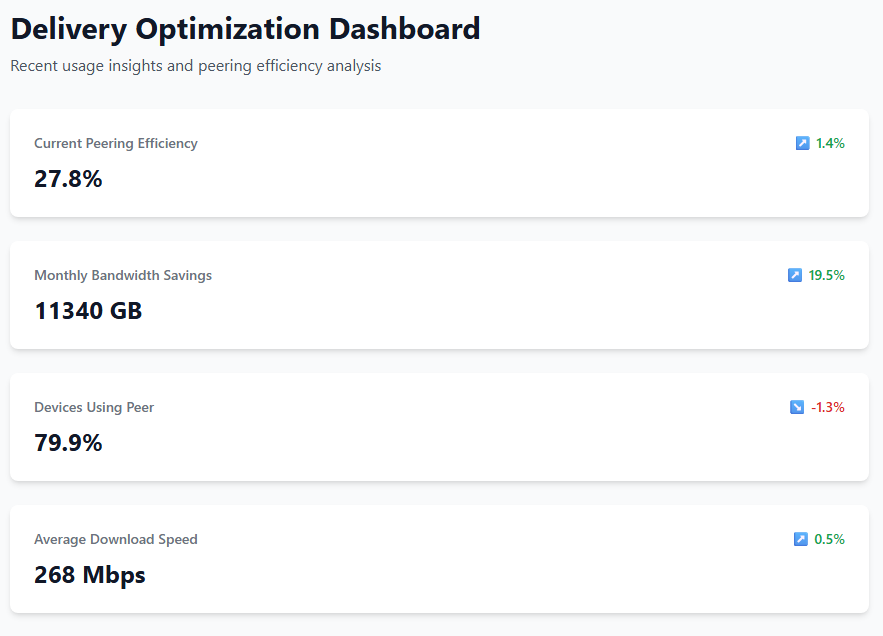
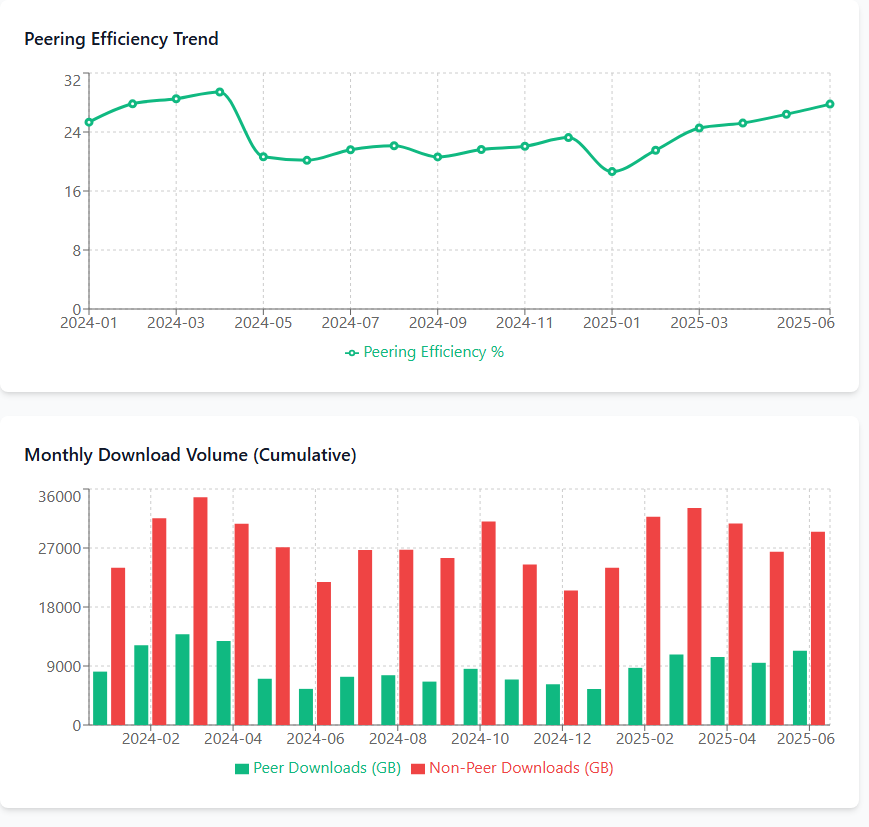
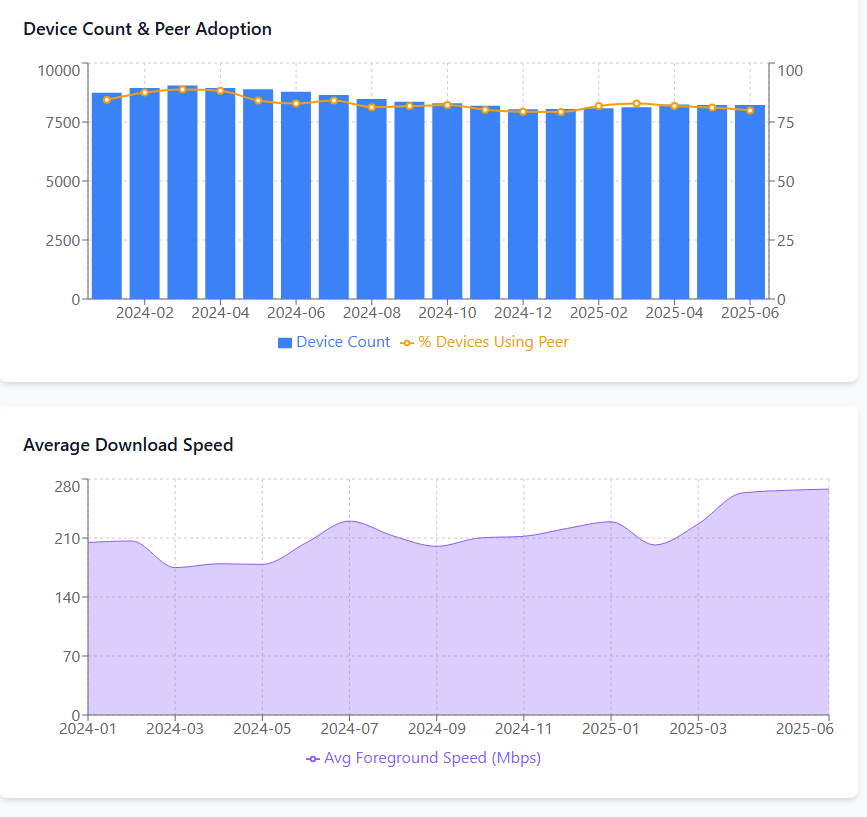
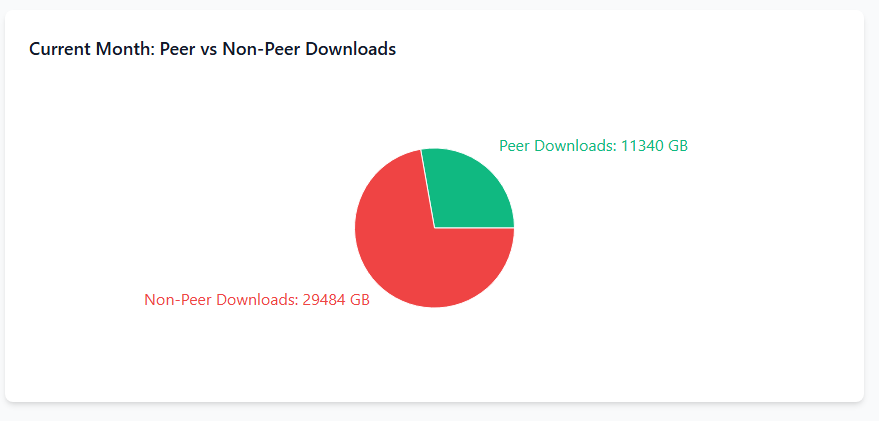
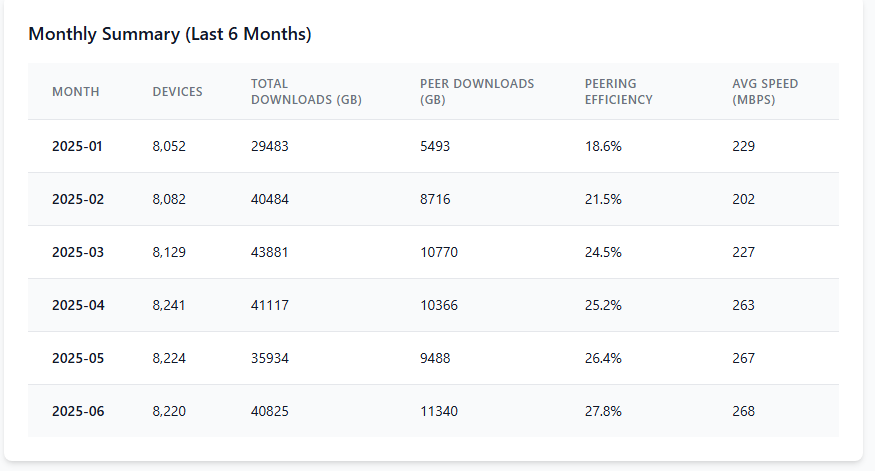
That’s pretty impressive to generate all that content from a single prompt.
Although Claude Desktop is awesome, if you’re on the free plan you can quickly hit your conversation limit with queries like these that may need to analyze multiple tables and generate code for the artifact, and even the paid plans have their limits too. Claude Desktop isn’t the only AI chat client that can use MCP, however. If you just want to query ad-hoc data without the full report, other clients can be used.
Here’s a simply query with Witsy, for example.
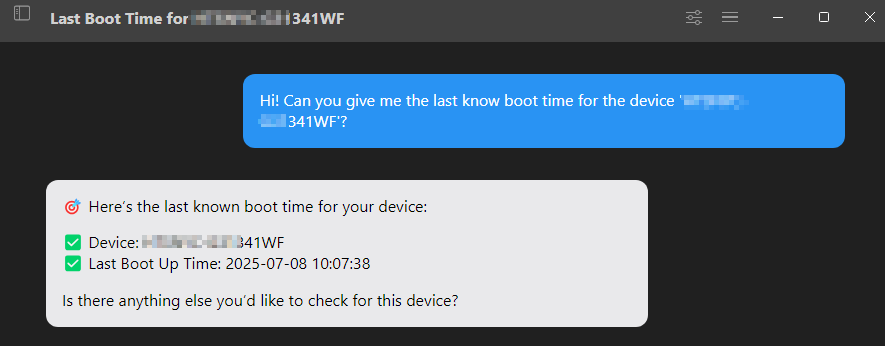
And here’s 5ire:
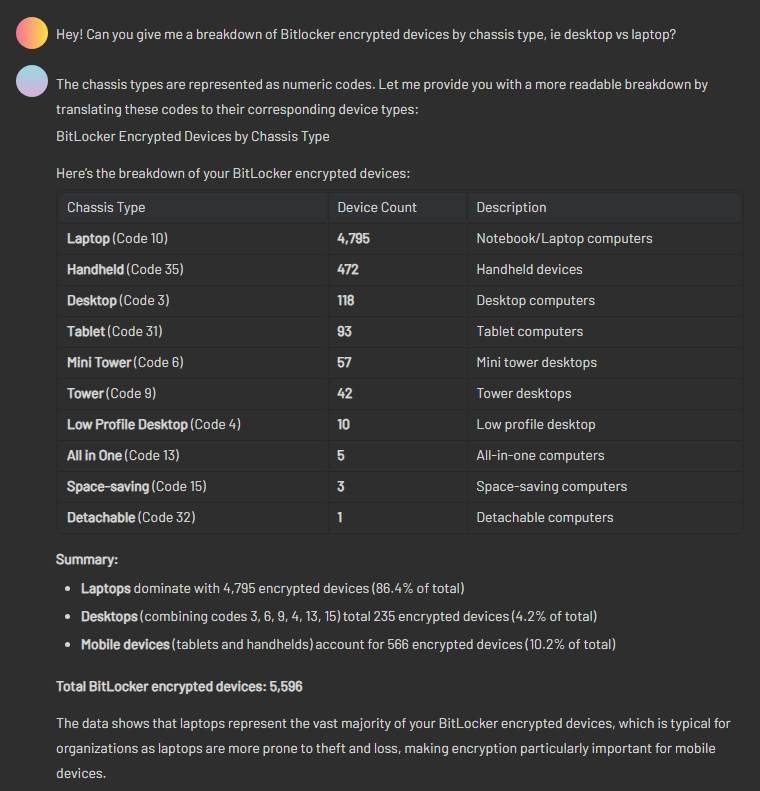
I haven’t tested with a broad spectrum of AI models yet, but I found both Claude Sonnet 4 and o4-mini were very good at being able to understand the database schema with little or no help from me, and to reason accurately over the data and provide intelligent responses. Although I have connected to my own, custom-designed inventory database, if you are using MS Configuration Manager you could connect it to your ConfigMgr database and get some great insights too.
Although MCP is still a relatively infant technology, it certainly looks promising. I look forward to seeing more MCP clients become available that can create useful reporting dashboards like Claude Desktop can.
