In PowerShell scripts it is sometimes helpful to use a timer, for example to measure how long a certain task takes. If you create GUI applications with PowerShell, it can be useful to display a timer during a long-running task. It’s actually quite simple to do and there are plenty of examples for C# programmers, but not for PowerShell scripters, so I thought I would write this quick post to demonstrate how it can be done.
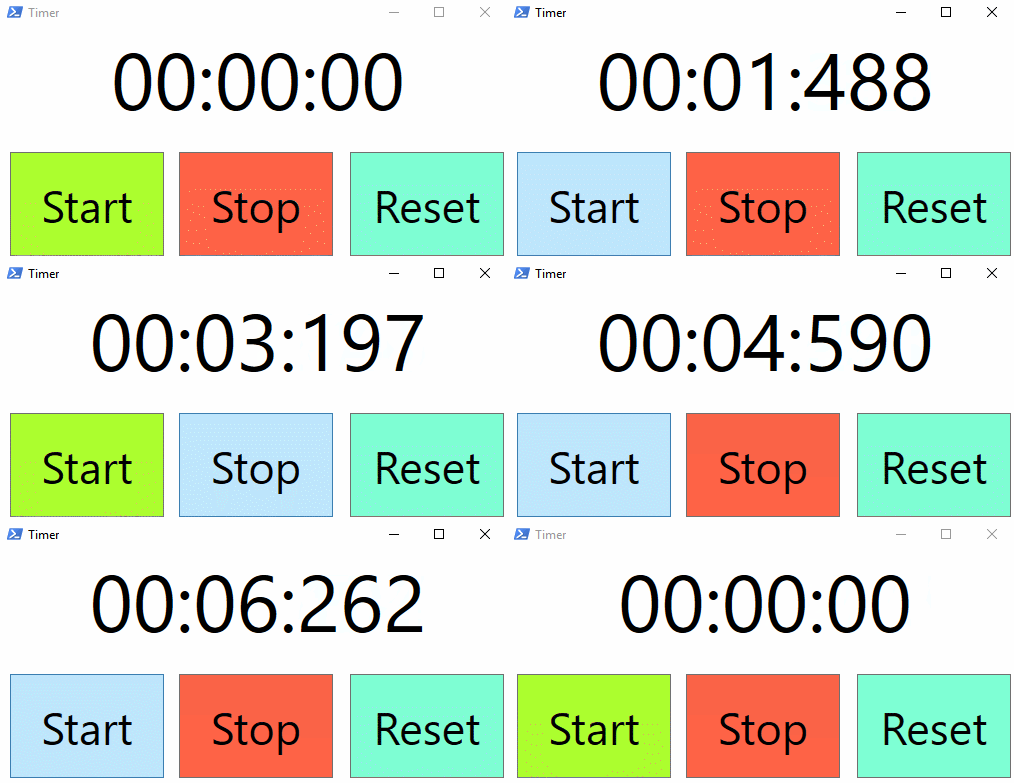
This example uses a WPF window to display a timer as a stopwatch application, but you can of course re-use the code for your needs. The System.Diagnostics.Stopwatch class can be used to measure time, and the System.Windows.Forms.Timer class can be used to display the time in a GUI window via the Tick event.
# Load Assemblies
Add-Type -AssemblyName PresentationFramework, System.Windows.Forms


# Define XAML code
[xml]$xaml = @"
<Window
        xmlns="http://schemas.microsoft.com/winfx/2006/xaml/presentation"
        xmlns:x="http://schemas.microsoft.com/winfx/2006/xaml"
        Title="Stopwatch" Height="273.112" Width="525" ResizeMode="CanMinimize">
    <Grid>
        <TextBox x:Name="Time" HorizontalContentAlignment="Center" IsReadOnly="True" VerticalContentAlignment="Center" FontSize="80" FontFamily="Segui" BorderThickness="0" HorizontalAlignment="Left" Margin="11,10,0,0" TextWrapping="Wrap" Text="00:00:00" VerticalAlignment="Top" Height="94" Width="496"/>
        <Button x:Name="Start" Content="Start" HorizontalAlignment="Left" FontSize="45" Background="GreenYellow" Margin="11,124,0,0" VerticalAlignment="Top" Width="154" Height="104"/>
        <Button x:Name="Stop" Content="Stop" HorizontalAlignment="Left" FontSize="45" Background="Tomato" Margin="180,124,0,0" VerticalAlignment="Top" Width="154" Height="104"/>
        <Button x:Name="Reset" Content="Reset" HorizontalAlignment="Left" FontSize="45" Background="Aquamarine" Margin="351,124,0,0" VerticalAlignment="Top" Width="154" Height="104"/>
    </Grid>
</Window>

"@

# Load XAML elements into a hash table
$script:hash = [hashtable]::Synchronized(@{})
$hash.Window = [Windows.Markup.XamlReader]::Load((New-Object -TypeName System.Xml.XmlNodeReader -ArgumentList $xaml))
$xaml.SelectNodes("//*[@*[contains(translate(name(.),'n','N'),'Name')]]") | ForEach-Object -Process {
    $hash.$($_.Name) = $hash.Window.FindName($_.Name)
}

# Create a stopwatch and a timer object
$Hash.Stopwatch = New-Object System.Diagnostics.Stopwatch
$Hash.Timer = New-Object System.Windows.Forms.Timer
    $Hash.Timer.Enabled = $true
    $Hash.Timer.Interval = 55

# Start button event
$hash.Start.Add_Click({

    $Hash.Stopwatch.Start()
    $Hash.Timer.Add_Tick({$Hash.Time.Text = "$($Hash.Stopwatch.Elapsed.Minutes.ToString("00")):$($Hash.Stopwatch.Elapsed.Seconds.ToString("00")):$($Hash.Stopwatch.Elapsed.Milliseconds.ToString("000"))"})
    $Hash.Timer.Start()

})

# Stop button event
$hash.Stop.Add_Click({

    if (!$Hash.Stopwatch.IsRunning) { return }
    $Hash.Timer.Stop()
    $Hash.Stopwatch.Stop()

})

# Reset button event
$hash.Reset.Add_Click({

    if ($Hash.Stopwatch.IsRunning) { return }
    $Hash.Stopwatch.Reset()
    $Hash.Time.Text = "00:00:00"

})

# Display Window
$null = $hash.Window.ShowDialog()

Another way:
$Timer = new-object System.Windows.Threading.DispatcherTimer
$Timer.Interval = [TimeSpan]”0:0:1″
$Timer.Add_Tick({
[Payload]
})
$Timer.Start()
$Timer.Stop()
Hello Sir,
please tell me , how to display count down time in popup message and enable ok button to close form after count down reaches zero